
MotoJitsu
MotoJitsuAuto & Vehicles
4.846.00 Reviews
- Version
- 1.5.2
- Installs
- 10.00K
- Age Rating
- Everyone
Screenshots
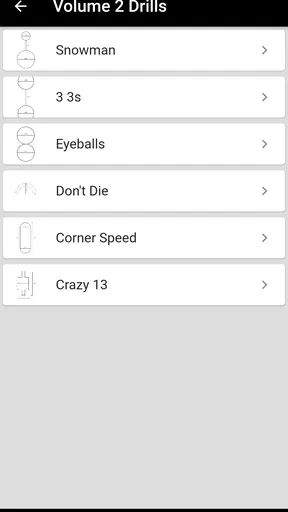
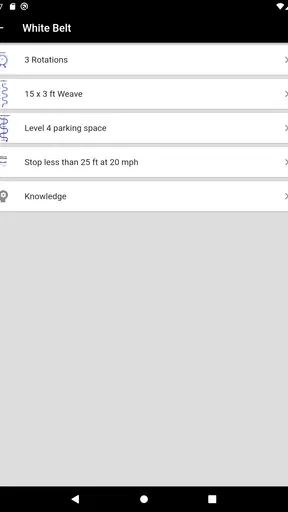
Our Review of MotoJitsu
 Analysis by Appyee
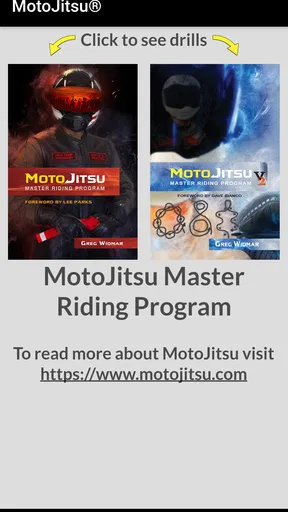
When I’m deciding whether to use a motorcycle training app, I care about more than a long drill list: I want to know what I’m being asked to practise, whether the guidance fits my level, and what I can sensibly judge before paying. MotoJitsu is a paid Auto & Vehicles app from MotoJitsu, priced at $9.99, and its focus is practice for the riding program’s first two volumes. That narrow purpose is useful if you want a structured companion for skill work, but it is not the same as a complete riding course or a substitute for safe instruction.
What the app can—and cannot—establish
The app has an average rating of 4.8 from 181 ratings, and it has passed 10K+ installs. Those figures suggest that riders have found a reason to try it, but I wouldn’t treat popularity as proof that every drill is right for every rider. Its Everyone content rating is reassuring as a general age classification; it does not mean that every motorcycle exercise is appropriate for a child or safe to attempt without adult supervision and suitable space.
The key trust question for me is practical: does an app help me make better decisions before I take a motorcycle into a practice area? A drill guide can explain a task, but it cannot see the surface, traffic, weather, motorcycle condition, protective gear, or a rider’s fatigue. I would use the material as a study aid and plan each session around conditions I can control, rather than treating an on-screen prompt as permission to attempt a difficult maneuver.
Make the practice setting part of the plan
Before opening a drill, I’d choose a broad, legal, quiet practice area with enough room to stop and reset. I’d check the surface for loose gravel, oil, or obstacles, then decide on a simple exit plan if anything feels wrong. This matters especially when a demonstration makes a maneuver look smooth: video can help me understand the intended movement, but it cannot reproduce the space or traction available where I ride.
I’d also avoid trying to watch a phone while moving. A more sensible routine is to review the instructions while parked, put the device away, practise a small number of repetitions, and stop before concentration fades. If I need to check a detail, I’d pull over safely first. That workflow makes the app a reference between attempts rather than a distraction during them.
Getting Started with MotoJitsu
Right off the bat, when you download MotoJitsu, you’re greeted with a clean and intuitive interface. It’s pretty easy on the eyes, and you can tell that a lot of thought was put into making it user-friendly. So, even if you’re not the most tech-savvy person, navigating through the app is a breeze.
The app opens up with a quick tutorial to get you oriented. It’s a nice touch, especially if you’re new to motorcycle training or apps in general. I found this intro quite helpful as it walks you through the main features and how to use them effectively.
The Core Features
What really sets MotoJitsu apart is its comprehensive library of exercises and drills. You’ve got everything from basic maneuvers for beginners to advanced techniques for seasoned riders. The app includes step-by-step instructions and video demonstrations, which I found incredibly useful. It’s like having a riding instructor with you at all times.
Another standout feature is the progression tracking. You can keep tabs on your development and see how you’re improving over time. It’s motivating to see your progress in black and white, and it keeps you coming back for more.
Personal Experience and Usability
Using the app is a bit of a game-changer, especially if you’re someone who learns by doing. I spent a weekend testing out different drills, and I have to say, it’s a lot of fun. It’s like turning your practice sessions into a personal challenge. Plus, the app gives you feedback based on your inputs, which helps fine-tune your skills.
One thing that I really appreciated was the community aspect. There’s a section where you can connect with other riders, share tips, and even get advice from more experienced users. It’s a good way to stay motivated and learn from others who are on the same journey.
Choosing a realistic session
A useful way to approach a session is to pick one weakness rather than sampling drills at random. For example, if slow-speed control feels awkward during a parking-lot turn, I’d review the relevant explanation while stationary, then practise only what I can perform comfortably in the available space. I’d pause between attempts and note what changed—my line, pace, or confidence—rather than trying to fix several things at once. This gives progression tracking a more meaningful job: it can support a deliberate routine instead of becoming a score to chase.
For a newer rider, the app may be most helpful as a source of ideas to discuss with a qualified instructor, especially before moving from familiar basics to more demanding work. An experienced rider may get more out of returning to fundamentals that are easy to neglect after years on the road. In either case, I’d treat “advanced” as a reason to assess readiness, not as a challenge to prove something in one session.
Compared with general motorcycle videos, a dedicated drill app can make practice feel more organized: it puts exercises in a training context rather than leaving me to assemble a session from unrelated clips. A riding school or coach is better when I need someone to observe my body position and correct mistakes in real time. Free video resources may suit riders who only want occasional tips, while this paid app makes more sense for someone who expects to practise repeatedly and values a focused program.
Room for Improvement?
No app is perfect, right? While the app is pretty solid, there are a couple of areas that could be tweaked. For instance, the app requires a steady internet connection for streaming video content, which might be a bit of a bummer if you’re out in the boonies with spotty service. It would be awesome if they offered offline downloads for the drills.
Another thing I noticed is that some of the advanced drills might be a bit intimidating for newbies. A bit more guidance or a layered approach for beginners moving to advanced levels would make the transition smoother.
Cost, access, and rider choice
At $9.99, I’d decide based on whether I’ll actually use the practice material, not on the idea that buying an app alone will improve my riding. Someone who rides only occasionally, needs a full course, or wants a professional to assess technique may get better value from another option. Someone who already has a safe practice routine and wants a dedicated set of drills may find the one-time purchase easier to justify.
The current version is 1.5.1, and the app requires Android 6.0 or later. That makes the operating-system requirement straightforward to check before purchase. I’d also consider the practical data-sensitive moments: streaming video uses an internet connection, so I would choose when and where to watch it rather than assume it will be convenient at a remote practice spot. Before buying any app, I make a habit of reviewing the store’s current permission and privacy details and the device’s app controls; I don’t assume what access an app requests or how it handles information without checking those screens myself.
One small but valuable habit is to plan around the phone rather than the other way around. I’d charge it before leaving, review the material where reception is reliable, and keep the device secured while riding. If a session depends on repeatedly reaching for a screen, I’d simplify the plan. The point is to practise a riding skill, not to create extra handling or attention demands in the practice area.
Final Thoughts
Overall, the app is a useful option for motorcycle enthusiasts looking to sharpen their skills. It’s packed with useful features, and it’s designed in a way that makes learning not only effective but enjoyable. Whether you’re just starting out or you’re an experienced rider, there’s something here for everyone.
By fostering a community and offering detailed, practical exercises, it stands out as a tool for anyone serious about motorcycling. Give it a shot, and you might just find yourself riding with more confidence and skill.
My cautious recommendation is to use it as a structured practice companion, not as a replacement for instruction, judgment, or safe conditions. The strongest fit is a rider who is willing to prepare, repeat manageable drills, and stop when the setup or their confidence is not right. If that sounds like your approach, this app may help turn spare practice time into a clearer routine; if you mainly need direct coaching or dependable access to video without a connection, I’d look elsewhere first.
Verdict
Strengths of MotoJitsu
- Comprehensive riding drills for all levels.
- User-friendly interface with easy navigation.
- Includes video tutorials for better understanding.
- Offline access to drills and exercises.
- Regular updates with new content and features.
Limitations of MotoJitsu
- Limited social features for community interaction.
- No personalized progress tracking available.
- Lacks integration with wearable devices.
- Ads can be intrusive in the free version.
- Requires internet for video streaming.
Similar Picks in This Category
View All
Android Auto
Google LLC4.1

maxim — order a taxi & food
PT. SITO4.7

Штрафы ГИБДД: проверка с фото
Pays LLC – Штрафы ГИБДД4.7

Номерограм – проверка авто
Авто Ассист4.8

Дром Авто
Дром4.9

Frequently Asked Questions
What is MotoJitsu and how does it enhance my motorcycling skills?
MotoJitsu is an app designed to improve your motorcycling skills through structured exercises and drills. It offers a variety of challenges and courses that mimic real-world scenarios, helping riders enhance their control, precision, and confidence. Whether you're a beginner or an experienced rider, the app provides tailored content to suit your level.
Is MotoJitsu suitable for beginners or only experienced riders?
MotoJitsu caters to both beginners and experienced riders. The app includes a range of exercises that start with basic skills and gradually progress to advanced techniques. This ensures that all riders, regardless of their experience, can benefit and find appropriate challenges to improve their riding abilities.
What kind of exercises and drills does MotoJitsu offer?
MotoJitsu offers a wide variety of exercises and drills, including slow-speed maneuvers, emergency braking, cornering techniques, and advanced handling skills. The app's structured approach allows users to follow a guided path, ensuring they develop essential skills systematically while tracking their progress over time.
Does MotoJitsu require any special equipment to use effectively?
While MotoJitsu itself doesn’t require special equipment, it’s essential to have a motorcycle and appropriate safety gear such as a helmet, gloves, and protective clothing. Some drills might necessitate cones or markers to set up practice courses, but these can often be improvised with everyday items.
Can I use MotoJitsu without an internet connection?
Yes, MotoJitsu can be used offline. Once the app is downloaded and installed, you can access all the exercises and tutorials without an active internet connection. This makes it convenient for users to practice in various locations without worrying about connectivity issues.
